Britains best british data recovery company
R3 Provide data recovery throughout the British Isles, Northern Ireland, Eire, Europe, US & Worldwide.
🚑 Emergency Callout 079 3282 4264
Britains best british data recovery company
R3 Provide data recovery throughout the British Isles, Northern Ireland, Eire, Europe, US & Worldwide.
Data loss can happen at any time and can happen in the most unexpected ways. As long as your device hasn't been stolen (we're not that good 🙂), we can recover your data from the most unlikely disasters.
★★★★★
Fantastic service! E-mails were answered quickly and informatively, and the recovery team managed to get all of my data back for me in great time. I've learned my lesson about backing up my data but if anyone I know ever needs their data recovered, I'm absolutely going to send them this way.
Matt
The risk to your drive getting further damage is compounded, so turn off your device and call immediately for advice!
Recovery software downloaded from the Internet can increase the risk to your data as a result of using it.
Contact us direct on 0800 999 3282 for a FREE quote and to discuss your recovery case.
Where to go when your hard drive is declared unrecoverable?
The R3 team routinely recover what other hard drive data recovery specialists cannot even if an ISO 27001 / 9001 "much larger" computer forensics company has said its unrecoverable we have proven too often this is not the case and are one of the few UK based companies to have successfully assisted in getting refunds and compensation for victims of Fields Associates Ltd aka Fields Data Recovery, Rapid Data and Data Recovery Specialists of Penarth in the UK.
European victims of:
Our Technicians are always on hand to discuss the recovery of your media in depth, we can advise you in every step of the process, from preparing for data loss situations through to handling your failed media and the resulting recovery process. Advice, support and help with your data loss is available 7 days a week.
R3 Data Recovery Ltd operate at the leading edge of data recovery technology and success rates. We provide data recovery services direct to consumers, students, businesses, IT Departments, Data Centres, Disaster Recovery Support and Internationally to other data recovery labs.
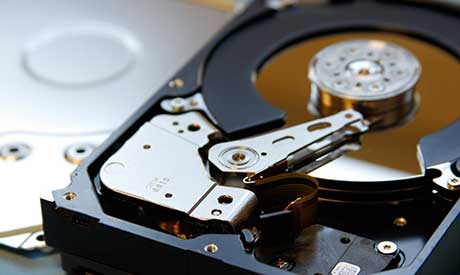
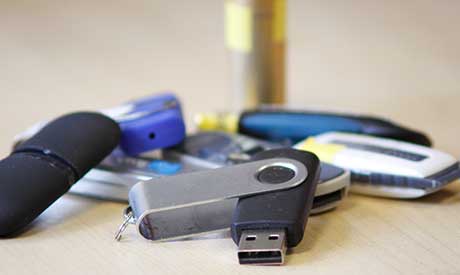
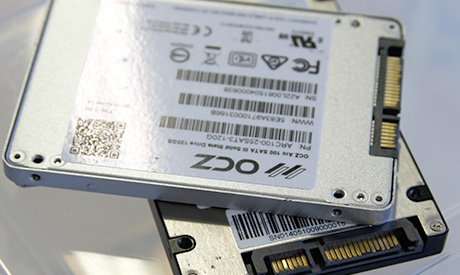
We recover lost data from hard drives, RAID arrays, Flash Memory devices like USB Memory Sticks, SD Cards and SSD hard drives. Our clean room lab facilities and technical capability are comparable to global companies, reaching a class leading ISO 3 standard and R&D capabilities to solve unrecoverable data situations. that makes R3 Data RecoveryBritains best team of data recovery specialists.
For an Emergency 12-72 Hour Service call 079 3282 4264 / 0800 999 3282 to talk to Andy and the team.
Our Emergency services and disaster recovery / RAID recovery can include:
For our Standard 7-10 Day Service click here or call 0800 999 3282 to talk to the team.
No need to take unnecessary risks with your data or your clients data when our Standard services include:
Each recovery is unique, the variables (dropped, head crash, firmware, degraded or sticktion) affect the chances of a full recovery and in some cases the quality of the data recovered. Our file integrity testing report helps with the confirmation of a successful recovery, the integrity report can in many cases also help understand how any open files were affected and which were as a direct result of the failure and allow chance to repair them.
We don't just have a library of donor parts, we have our own parts supply chain and department dedicated to testing, wiping and preparing donors which helps ensure our engineers can reduce time waiting and maximise success rates with the correctly matched donors where needed.
There are many aspects of the data recovery process which the R3 team have unique R&D capabilities. R3 are recognised as the best data recovery hospital in the UK.
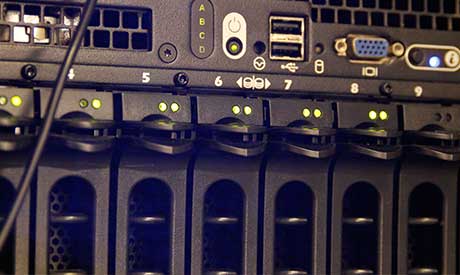
The R3 engineers expert skills, help to restore data cost effectively. Benefiting business users, home users and students as well as in an emergency fast restoration for business critical data, including onsite SAN, XSAN and large scale storage appliance infrastructure failures and disaster recovery for data centres.
Once data has been recovered there are several ways in which we can get the data back to our customers depending on individual requirements such as time and cost.
The fastest way of transferring data is for it to be sent over the internet such as email, data transfer via ftp or a file transfer service such as WeTransfer. This method of sending data is efficient for low volumes of data if time is critical but not where large volumes of data are needed quickly as data can be transferred to physical hard disks much faster than the amount of time it would take to transfer over the internet.
In most cases copying recovered data to a new hard disk and then sent back using a tracked courier service is suitable but R3 offers same day return of data to allow the fastest return of data to our customers tailored to their individual needs.
At R3 it's important to know what the priority data is, this is so that we know what to target first so that it reduces the strain of the drive when it is cloning. Sometimes when a drive is failing it is better to target the priority files as the drive could be minutes away from failing.
Priority data is also important when it comes to logical recoveries (deleted data). As we are able to search deleted data for specific file/folder names.
If you have deleted your data or accidently formatted your storage device, get in contact with the professionals here at R3, our team will be able to give you a free over the phone assessment and quote.
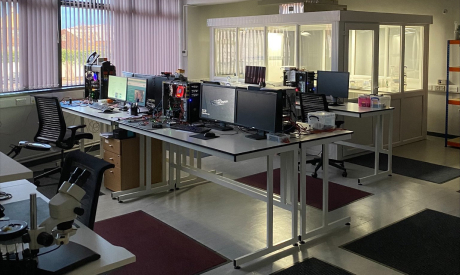
The Security House lab is central to the successful story of R3. It was first developed in 2007 as the UKs first high capacity data recovery operation.
R3 is a team approach to DR first outlined in 2002. Since 2007 the Security House lab has evolved and the core team has grown to now 20 staff.
The R3 approach has helped to deliver the highest possible recovery rates and make R3 a British company that is amongst the very best in the world but still accessible and affordable often at lower real cost than those who claim cheaper pricing.
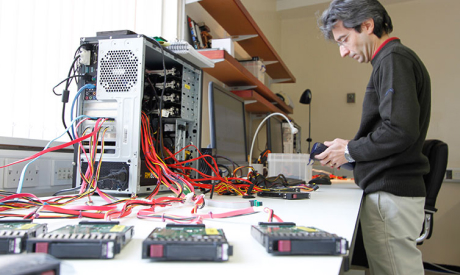
The Security House lab is central to the successful story of R3. It was first developed in 2007 as the UKs first high capacity data recovery operation.
R3 is a team approach to DR first outlined in 2002. Since 2007 the Security House lab has evolved and the core team has grown to now 20 staff.
The R3 approach has helped to deliver the highest possible recovery rates and make R3 a British company that is amongst the very best in the world but still accessible and affordable often at lower real cost than those who claim cheaper pricing.
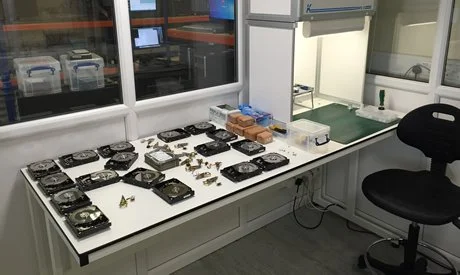
The Security House lab is central to the successful story of R3. It was first developed in 2007 as the UKs first high capacity data recovery operation.
R3 is a team approach to DR first outlined in 2002. Since 2007 the Security House lab has evolved and the core team has grown to now 20 staff.
The R3 approach has helped to deliver the highest possible recovery rates and make R3 a British company that is amongst the very best in the world but still accessible and affordable often at lower real cost than those who claim cheaper pricing.
I spent some time working out who to send my hd to. Lots of bad reviews for other sites. Was so glad I used R3. Didn't try to push me and get a sale. Kept me up to date with the recovery and recovered 100% of my data. Sent my hd on Tuesday and got it back on an external drive the following Tuesday. Five star service......back up your data though :)
Anonymus
Andy quick response and recovery of the data and the out of hours service,was excellent. He also gave us assistance over the phone when accessing the recovered data on the new external drive. I would have no hesitation in recommending his data recovery services.
Dave Worcester
My laptop hard disc died on Tuesday morning. Having never really bothered with backing up (I know) I went into a flat panic as my small business data and personal stuff was all lost. Along with a more computer literate friend we found R3 Data Recovery via google and the reviews helped me decide to give them a try. Well I am really glad that I did.
I delivered the faulty disc personally on Wednesday afternoon and having paid for the emergency service my recovered data was ready for me to pick up on Thursday morning. 100% recovery of all data, business related and photos and other personal stuff that could have been lost forever. Will my point of contact was great explaining the process and costs involved. I cannot recommend highly enough. I have now restored all my data and set up a back regime. Thank you R3 Data Recovery
Paul B
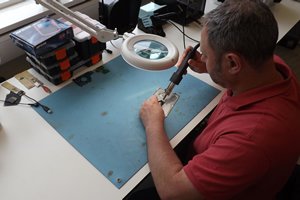
A thought for those who wonder what a data recovery lab does.
In reality the main tasks of the engineers, technicians and programmers is not to recover data. It is to find how to recover unrecoverable data.
Team R3 lab assistants as a final task they transfer the recovered data to new storage devices then file list and integrity check before returning to the client.
Sounds Easy - but how to get to that point?
Only a handful of labs are built to achieve the highest success rates like R3. For nearly 14 years Security House been continually developed to be a research and workspace for the tools, engineers and unrecoverable data to be brought together to find the solution.
In many ways R3 are Britains last line of defence for the recovery of data when the backup fails. Many of our clients have Tape, Cloud and local backup or replication but still can have a disaster that requires data recovery.
R3 has the UKs highest success rates for those told their data is unrecoverable even if it is a second, third or final opinion.
Do not believe an ISO9001 / Template Technical Report even if it is issued by the "largest" global data recovery lab.
It is often the small details that make the difference.